• Notice for iPhone users: DO NOT use the image size reduction option when uploading photos to the forum. This causes portrait images to post as landscape. We have added a warning to the image insert pop-up as well.

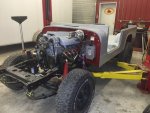
Dads Scrambler

IMG_4728.jpg
IMG_4729.jpg

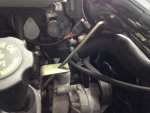
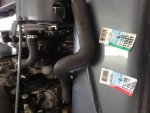
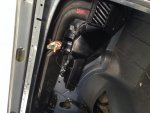
Got the radiator hoses in, top one fit perfect. Had to cut the lower one.
 
IMG_4738.jpg
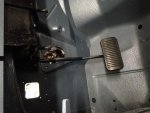
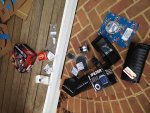
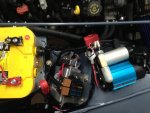
More parts came in! Some dash stuff, heater box stuff, air intake parts and arb compressor for the lockers
 
IMG_4787.jpg
IMG_4789.jpgIMG_4788.jpgIMG_4792.jpgIMG_4793.jpgIMG_4790.jpgIMG_4795.jpg

I need to figure this picture thing out, not sure what I'm doing wrong. I'm using my Iphone 5 to take pics, I know the button is suppose to be to the right when I take the picture. When I try to upload pics from my phone using google it seems like they never download. So I put them on my HP computer and I can only download one at a time and it seems to take forever!
 
Last edited:
I need to figure this picture thing out, not sure what I'm doing wrong. I'm using my Iphone 5 to take pics, I know the button is suppose to be to the right when I take the picture. When I try to upload pics from my phone using google it seems like they never download. So I put them on my HP computer and I can only download one at a time and it seems to take forever!
Have you tried the instructions here?
https://www.cj-8.com/forum/showthread.php?47885-How-to-post-pics-from-your-phone-and-other-mobile-tricks-HOW-TO-VIDEO

I used my iPhone 4 with Google Chrome browser without an issue.
 
Want to hear it run. Your so close i can already hear it in my head. Rumble rumble.
 
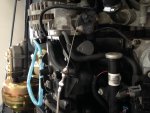
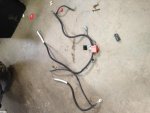
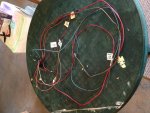
Well I didn't really want to put the computer and fuses in the engine bay. But I had two things working against me, first my harness was not the length I needed it to be. Second, I just didn't have the space for the computer while still using the factory heat and vent boxes.
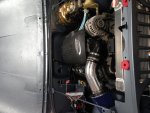
Starting to get tight on the passenger side...
IMG_4835.jpg
 
Got the wiring all done yesterday, it cranks! But it doesn't run :banghead: it tries to though. So after double checking everything I'm pretty sure that I need to clean the injectors. So I'll try that and see what happens.
 
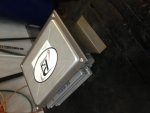
Whoa that's nice. I also mounted my computer and tac module under the hood to the right and below the brake booster
 

Attachments

  • 121211.jpg
    121211.jpg
    69.2 KB · Views: 199
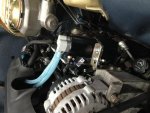
Ok, a dumb question maybe. In the engine picture is that the fuel pump, filter or a fuel pressure regulator? I say a regulator because it looks like it's hooked up to the return line. I need to install a regulator on my 5.3.
 
Thanks Guys! So I pulled the injectors yesterday to clean them up and they where filthy. When I started testing them only one would activate :huh: So after a few phone calls to parts stores we where in business! :cheers:
 
Ok, a dumb question maybe. In the engine picture is that the fuel pump, filter or a fuel pressure regulator? I say a regulator because it looks like it's hooked up to the return line. I need to install a regulator on my 5.3.

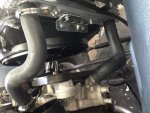
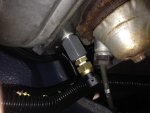
Not sure which picture you are talking about, but I'm guessing on that shows the drivers side of the engine. I have a pressure gauge inline on the supply side so that I can make sure I'm getting the correct pressure to the rail in case I start having problems.
 
Sweet. Glad to see it up and running
 
Back
Top