


- City
- Dexter
- State
- MI
To help show how to post photos from your phone, I put together a how-to-video showing the process on my iPhone 6S in the Chrome browser. For different phones you may need to experiment with different browsers to find the one that works best as all the different combinations may work slightly differently.
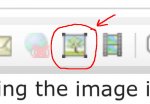
Viewing this in full screen makes it easier to see everything that's going on. The insert photo/tree icon in the quick reply or advanced reply looks like this:
NOTE: The forum software does not allow images to be uploaded from any of the "Mobile Themes", so you have to be in a Standard Theme. I show how to switch themes from one of the standard themes in the video, but if you're already in a mobile theme, you have to scroll to the bottom of any forum window and tap the "Full Site" link to get back to the full site. Here's what that looks like:

[video=youtube_share;y_pC46xV444]https://youtu.be/y_pC46xV444[/video]
Viewing this in full screen makes it easier to see everything that's going on. The insert photo/tree icon in the quick reply or advanced reply looks like this:
NOTE: The forum software does not allow images to be uploaded from any of the "Mobile Themes", so you have to be in a Standard Theme. I show how to switch themes from one of the standard themes in the video, but if you're already in a mobile theme, you have to scroll to the bottom of any forum window and tap the "Full Site" link to get back to the full site. Here's what that looks like:
[video=youtube_share;y_pC46xV444]https://youtu.be/y_pC46xV444[/video]
