• Notice for iPhone users: DO NOT use the image size reduction option when uploading photos to the forum. This causes portrait images to post as landscape. We have added a warning to the image insert pop-up as well.

Photo size limit issue fixed

bigwalton

Alaskan Postal nutjob
FORUM MANAGER
SOA Member
City
Dexter
State
MI
The server that the site lives on was changed at the end of Oct and in doing so there was an issue with a limit being lowered on attachment file sizes. It was causing errors trying to upload photos of any typical phone file size. Sorry about that. It's now been corrected and we're back up where pretty much any photo of any size should work again...

Testing.... seems fixed!
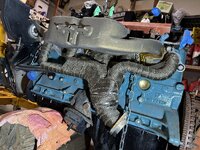
IMG_8165.JPG
 
SAY SOMETHING... if something's not working, let me know!!!
 
Yeah, it's definitely fixed. Our host did it with the switchover and now we're back with a 32MB limit (and the software downsizes it for faster loading/space savings)
 
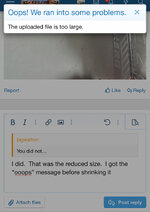
Test failed for me. Had to reduce the size to post this pic of my French Toast
IMG_9850.jpeg
 
Bad news if you have a new iPhone Pro. The 40+ megapixel camera creates huge files. Just thought I’d try here because I’ve been having issues on another forum, same software I think.

The original picture file reads 3.6MP, and won’t post. Yet a screenshot reads 5MP and will post. Here’s the screenshot-


IMG_0095.jpeg

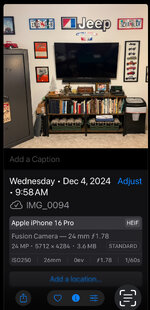
Here’s a screenshot of the file info that was flagged “too large”.
IMG_0098.jpeg
 
Last edited:
Maybe this is a pixel size limit issue?

UGH
Might be right. The one that wouldn’t go was 24 MP, the ones that worked were 12 or less. I found on the other forum that if I cropped the picture smaller it would work.

Let me see if a 12MP will work-IMG_0067.jpeg
Yep.
Then I tried a 14MP image. Said too large.
So maybe it is a MP issue.

P.S. How many Scramblers can you find in this picture?
 
Last edited:
Back
Top